CRM for Small Business: An Overview, Basics, and Essential Information
Customer Relationship Management, commonly called CRM, refers to a structured system used to record, organize, and analyze interactions with customers and prospects. For small businesses, CRM exists to replace scattered notebooks, spreadsheets, emails, and memory-based tracking with a single, structured source of information.
At its core, CRM for small business focuses on storing customer details, tracking conversations, monitoring follow-ups, and maintaining consistency in communication. It was created in response to growing customer expectations and the increasing complexity of managing contacts across phone calls, websites, social platforms, and email.
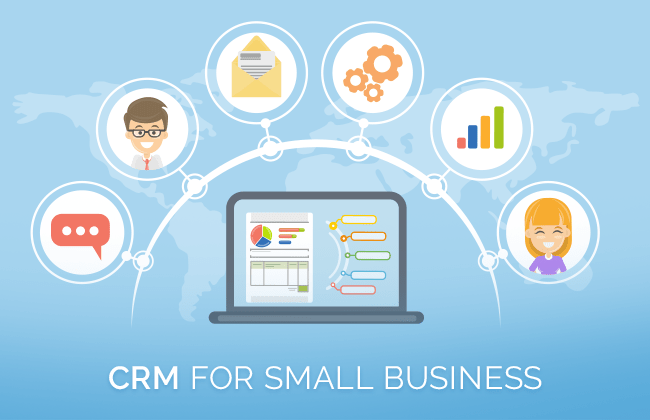
Small organizations often operate with limited staff, making it difficult to remember every interaction or customer preference. CRM systems were developed to reduce this dependency on individual memory and provide continuity, even when roles or responsibilities change.
In simple terms, CRM helps small businesses keep customer information accurate, accessible, and organized over time.
Why CRM Matters Today
CRM has become increasingly important due to changes in how customers communicate and how businesses operate. Even small businesses now manage dozens or thousands of customer interactions across multiple channels.
Key reasons CRM matters include:
-
Rising customer expectations for quick and consistent responses
-
Increased use of digital communication channels
-
Growing competition across local and online markets
-
The need for structured data to support decisions
CRM affects a wide range of users, including business owners, administrators, support teams, and marketing planners. It solves several practical problems that small businesses face daily.
Common challenges CRM helps address:
-
Lost or incomplete customer information
-
Missed follow-ups or delayed responses
-
Difficulty tracking ongoing conversations
-
Lack of visibility into customer history
-
Inconsistent communication records
By centralizing customer data, CRM enables small businesses to understand patterns, identify recurring issues, and improve internal coordination without relying on complex systems.
Recent Developments and Trends
In recent months, CRM platforms have continued to evolve to match modern work habits and data expectations. One noticeable trend is the increased focus on simplicity and usability for smaller teams.
Key developments observed recently include:
-
Greater use of automation for reminders and data updates
-
Improved mobile-friendly interfaces for remote access
-
Expanded integration with email and messaging tools
-
Enhanced reporting dashboards with visual summaries
-
Increased attention to data privacy controls
Another important trend is the use of artificial intelligence features within CRM systems. These features are being applied to organize data, suggest next actions, and identify patterns in customer behavior without requiring advanced technical knowledge.
Cloud-based CRM access has also become more common, allowing small businesses to view and update records from multiple locations without local installations.
Rules, Policies, and Compliance Considerations
CRM systems are directly influenced by data protection and privacy regulations that govern how customer information is collected, stored, and used. While the exact rules vary by region, the general principles remain consistent across many regulatory frameworks.
Common compliance expectations affecting CRM use include:
-
Transparency in data collection practices
-
Secure storage of personal and contact information
-
Limited access based on roles or responsibilities
-
Clear purpose for maintaining customer records
-
Options for updating or correcting stored data
Many CRM platforms include built-in features designed to support compliance, such as access logs, permission controls, and data retention settings.
Small businesses using CRM systems are generally expected to handle customer information responsibly and maintain basic data security standards, even when operating at a limited scale.
Helpful Tools and Resources
There are many tools and resources available that support CRM use for small businesses. These tools focus on organization, tracking, and reporting rather than promotion.
Common CRM-related tools include:
-
Contact management dashboards
-
Interaction tracking systems
-
Task and follow-up reminders
-
Reporting and analytics panels
-
Data import and export utilities
Supporting resources often include:
-
CRM templates for data organization
-
Customer interaction tracking sheets
-
Onboarding guides and documentation
-
Data cleanup checklists
-
Workflow planning diagrams
Example CRM Data Structure (Table)
| Data Category | Example Information Stored |
|---|---|
| Contact Details | Name, email, phone number |
| Interaction History | Calls, messages, meetings |
| Status Tracking | New, active, inactive |
| Notes | Preferences, observations |
| Follow-Up Actions | Tasks, reminders |
Simple CRM Workflow Overview (Text Graph)
Lead Entry → Contact Record → Interaction Log → Follow-Up Task → Status Update
This structured flow helps ensure no interaction is overlooked.
Frequently Asked Questions
What does CRM stand for in small business use?
CRM stands for Customer Relationship Management. In small business contexts, it refers to systems used to organize and track customer information and interactions.
Is CRM only useful for large organizations?
No. CRM is commonly used by small businesses to manage growing customer data efficiently and maintain consistency with limited staff.
What type of data is stored in a CRM system?
CRM systems typically store contact details, communication history, notes, follow-up tasks, and status indicators related to customer relationships.
Can CRM be used without technical expertise?
Many CRM platforms are designed with simple interfaces that allow basic use without advanced technical knowledge.
How does CRM support decision-making?
CRM provides structured data and reports that help identify trends, track activity, and understand customer behavior over time.
Final Thoughts
CRM for small business plays a critical role in organizing customer information and supporting consistent communication. As customer interactions become more complex and data-driven, having a structured system is no longer limited to large organizations.
By centralizing records, tracking interactions, and improving visibility, CRM helps small businesses maintain clarity and continuity in daily operations. Ongoing developments continue to make CRM systems more accessible, adaptable, and aligned with real-world business needs.
When used thoughtfully, CRM serves as a practical foundation for managing relationships, improving internal coordination, and supporting long-term stability in small business environments.